How to register to play
Gemwin's game library is incredibly rich, featuring 1,000+ quality titles with a competitive payout rate of 98.6%.
GUIDE TO REGISTERING A GEMWIN ACCOUNT FOR BEGINNERS
Registering is the key to Gemwins world of quality games. 3 simple steps and you get your account!
3 REASONS PLAYERS NEED TO REGISTER A GEMWIN ACCOUNT
A verified account is required to enjoy all services and creates a strong shield protecting member rights:
-
Identity verification: Provided info is stored for accurate deposit/withdrawal identification.
-
Customer rights protection: A valid ID lets players experience all game lobbies (casino, jackpot, sports, card games,...), enjoy promotions, and receive dedicated support from consultants.
-
User control: Based on player data, the system manages members and removes fake accounts.
3 reasons players need to register a Gemwin account
ACCOUNT REGISTRATION PROCESS ON GEMWIN
Becoming a Gemwin member takes 3 simple steps anyone can follow on the first try:
Access the portal for the standard form:
First, access the correct homepage. Use either of these 2 methods:
Use the official link to access the website, suitable for PC large-screen experience.
Download the Android/iOS app for convenient access anytime, anywhere.
Click "Register" on the homepage. The system displays a detailed form.
Complete the data as required by the system
The form has 4 fields with clear format requirements to help players set up quickly:
-
Login name:
6 – 32 characters, supports letters and numbers, no special characters.
-
Password:
Requires 6-30 chars, letters + numbers for a secure complex key.
-
Confirm password:
Enter the key string you set up to verify identity.
-
Display name:
Requires 6-32 chars, not matching login name, letters and numbers only.
Confirm member account creation
After completing the form, double-check and confirm. Membership activates in seconds. Deposit to start playing now
Account creation confirmed in seconds
4 IMPORTANT NOTES WHEN REGISTERING A GEMWIN ACCOUNT
Though simple, note 4 important points for a smooth experience:
-
Stable connection: Ensure a smooth, lag-free connection for quick server requests.
-
Beware of fake links: Check link sources carefully, never click fake websites.
-
Complete the information: After successful registration, verify phone/email and add bank info for smooth withdrawals.
-
Enhance security: Keep account info confidential, do not share, change passwords periodically, monitor activity, and contact support if unusual access.
ANSWERS TO 3 COMMON ACCOUNT CREATION QUESTIONS
If you still have questions about opening an account, see the specific answers below:
Is there an age limit for Gemwin registration?
Yes. The portal only serves members 18+, verified via ID. Non-compliant IDs are permanently locked. Declare honestly to protect your rights.
Is there a fee to open an account?
No, opening an account is free. If asked to deposit for activation, stop — this is a scam.
Gemwin registration is 100% free
CAN I OWN MULTIPLE ACCOUNTS?
No. Each member has 1 verified account for fairness. AI scans and auto-locks violators in 1 second.
CLOSING REMARKS
Gemwin offers an extensive game library with a wide variety of entertainment options for every type of player. The platform regularly updates new games and features to enhance the overall experience while maintaining stable performance and competitive quality.
How to log in quickly
Fast and secure Gemwin login in 2026. Step-by-step guide with security tips.
HOW TO LOG IN TO GEMWIN SAFELY ON COMPUTER AND PHONE
Login is the key to Gemwins games. In 2026s complex online environment, mastering access saves time and protects assets.
WHY IS SAFE LOGIN THE TOP PRIORITY?
Many members are careless with shared computers or suspicious links. These habits increase risk. Safe access matters for two reasons:
Protect account balance
Your account stores balance and history. Using the correct link and secure device reduces hijacking risk.
Keep personal data private
You provide sensitive info at registration. Secure connections activate data encryption, preventing cyber attacks and protecting your identity from spam and scams.
Do not share account information with anyone
GUIDE TO FAST AND SECURE GEMWIN LOGIN METHODS
Access via website or mobile app. Follow steps for faster login and fewer errors.
4 steps to log in via the official website:
Desktop browser suits those who prefer large screens. To avoid fake links, follow these 4 steps:
-
Step 1: Access the official platform link. Check the domain carefully to avoid fake sites.
-
Step 2: When the homepage loads, click the yellow "Login" button in the top-right corner.
-
Step 3: Enter your registered info. Account name: 6-32 chars, password: 6-30 chars.
-
Step 4: After review, click login. If data matches, the game lobby opens.
Guide to logging into Gemwin in 4 steps on the website
3 STEPS TO ACCESS THE PLATFORM FASTER VIA MOBILE APP
For frequent mobile users, the app is more convenient with stable access. Steps:
-
Step 1: Open the installed app (supports Android and iOS). App access ensures smooth, uninterrupted connection.
-
Step 2: Enter account name (6-32 chars) and password (6-30 chars) in the correct fields.
-
Step 3: Confirm. Enable biometrics for faster future logins on supported devices.
SHARING 4 ACCOUNT SECURITY TIPS FOR GEMWIN MEMBERS
For safer access, control your browsing habits. Here are 4 important tips for better account security:
-
Do not save passwords on browser: Especially on shared or public devices, as others may access it again.
-
Change password every 3-6 months: Avoid birth dates, phone numbers, or easily guessable strings.
-
Verify email and phone number: Link both to receive codes, recover passwords, and handle unusual access.
-
Do not share data with third parties: Never share passwords, codes, email, or phone via private messages, even if they claim to be support.
4 tips to keep your account more secure
FAQ – COMMON QUESTIONS ABOUT LOGGING INTO GEMWIN
Players may encounter auth errors, device warnings, or missing security codes. Answers below help handle each situation.
Why does it say my correct info is wrong?
Usually caused by Vietnamese input method or accidental caps lock. Turn off Unikey and re-enter carefully.
Is 4G safer than public WiFi for accessing?
Yes, personal 4G is more private than public WiFi in crowded areas. Players should prioritize this to reduce data exposure risk.
Can I access my account from abroad?
You can access your account normally while traveling or on business trips. However, the security system may request identity verification when detecting an international IP.
What does the warning "account being accessed on another device" mean?
This appears when account is still logged in on another device. Change password and contact support.
Why am I not receiving the verification code?
Possible causes: weak signal, spam folder, or slow delivery. Wait 1-2 min, check, request new code.
CLOSING REMARKS
Gemwin offers an extensive game library with a wide variety of entertainment options for every type of player. The platform regularly updates new games and features to enhance the overall experience while maintaining stable performance and competitive quality.
Gem win password recovery guide
Gemwin password recovery is simple, easy, and absolutely safe. Follow the portals instructions to minimize errors
PASSWORD RECOVERY PROCESS FROM A TO Z
The system receives many forgotten account cases. Check Gemwins quick A-to-Z password recovery guide.
REASONS FOR FORGETTING YOUR GAME PASSWORD
Forgotten passwords are common. Understanding the reasons helps you choose effective fixes.
Reasons for forgetting your Gemwin password
SET A HARD-TO-REMEMBER PASSWORD
Top reason: complex passwords are hard to remember (e.g. Matkhau2026hdG@, Pass83abc7#,...).
Auto-save information
Many use auto-save in browsers, leading to forgotten recovery info:
-
Instead of writing down, players use the "Remember Account" feature from first registration.
-
You will not have to re-enter the code on your next login.
-
When switching devices, clearing cache, or reinstalling, members cannot log in.
THE BEST WAY TO RECOVER YOUR GEMWIN PASSWORD
After identifying the cause, choose 1 of 2 quick fixes below.
Use the Forgot Password tool
This is the most effective, fast, and safe method for all users, including beginners.
-
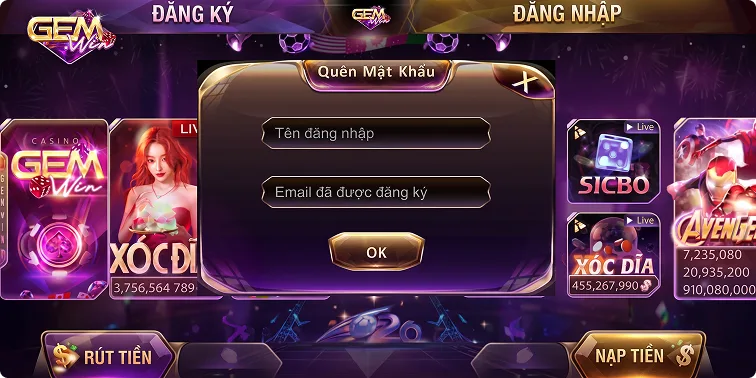
Step 1: Access the official link/app → Select "Login" → Click "Forgot Password" at the bottom.
-
Step 2: The system opens a verification window. Enter your exact account name (ID) and linked email.
-
Step 3: Click "Submit" after verifying info. Website sends OTP via email or phone.
-
Step 4: Simply enter the correct OTP into the blank field, then create a new password to complete the procedure.
CONTACT CS TO REQUEST PASSWORD RECOVERY
If you can't remember your email or haven't received OTP, contact customer service.
-
Step 1: Click the online CS icon on Gemwin homepage to connect with a consultant.
-
Step 2: Provide the issue: "Forgot account password", "Did not receive recovery OTP", and share your login name (ID).
-
Step 3: Staff will verify identity via basic data like game balance, recent deposit,...
-
Step 4: They will reset the password, then you log in and change it again for added security.
How to recover your account quickly via 2 methods
COMMON PASSWORD RESET ERRORS
During PIN recovery, many newcomers encounter basic errors:
-
No longer have the phone number: Most common: lost linked phone number or SIM, preventing OTP delivery.
-
Wrong info: CS will refuse PIN reissue if verification info is wrong (login name, recent transaction,...).
-
Unverified account: New accounts without linked phone will fail verification.
FAQS – ANSWERS ABOUT FORGETTING YOUR ACCOUNT
Also check common questions below to avoid misunderstandings.
-
Forgotten both account name and PIN? Members must provide additional phone, bank, or transaction info for verification.
-
How long is the recovery OTP valid? The OTP sent to your phone is valid for 2 minutes (120 seconds). Provide it in time or request a new one.
-
Why does the system say account not found? If "Forgot Password" says "Info Not Found", the login name is wrong. Or the account is locked — contact CS.
-
Will I lose money after password recovery? No, the portal guarantees 100% data, transaction, and asset security.
Q&A about account recovery
CLOSING REMARKS
Password recovery is simple but must follow instructions. We hope this helps users recover their accounts successfully. Visit the Gemwin homepage to enjoy the betting experience!
How to deposit into the platform
Deposit via bank, prepaid card, or crypto — safe, accurate, fast, no wrong transfers.
DEPOSIT GEMWIN VIA 3 METHODS – 100% SAFE
Gemwin deposit system offers 3 modern methods: bank, e-wallet, prepaid card. Just a few steps to complete and get wallet points instantly. Check the detailed guide below.
GUIDE TO DEPOSITING GEMWIN VIA 3 METHODS
Deposit easily via bank, e-wallet, or prepaid card. Fast processing, instructions below.
Bank transfer saves time
Bank transfer is the oldest and most popular payment method chosen by members.
-
Step 1: Log in, select the "Deposit" option in the bottom-right corner.
-
Step 2: Click "Nicepay" → Under "Bank", select "Napnhanh247" — the system auto-displays Flashpay Branch and Internet Banking.
-
Step 3: Enter amount → Click "Create Code" → QR with beneficiary info appears. Log in to your bank, scan the code, money arrives instantly.
Note: QR valid 30 minutes, single use. First-time users verify Bank, Account Name, Number (one-time only).
Gemwin provides QR codes for convenient deposits
USE PREPAID CARDS TO DEPOSIT INTO YOUR GEMWIN WALLET
Prepaid card payment lets players transact by entering the serial number, as follows:
-
Step 1: Select "Prepaid Card" → Choose Viettel, Vinaphone, or Mobifone.
-
Step 2: Select a denomination from 10,000 to 1,000,000 → Enter "Serial No., Card Code" → Click "Deposit" to complete.
Note card fees: Viettel 15%, Vinaphone 12%, Mobifone 13%. Double-check the card denomination to avoid failed transactions.
TRANSFER USING 1 OF 4 CRYPTOCURRENCY TYPES
Crypto wallets are popular for unlimited value, safety, and speed. Steps:
-
Step 1: Select Crypto → Choose 1 of 4: USDT, BNB, Ethereum, or TRX → Select "Transfer Network" from the list.
-
Step 2: Check rate/fees → Click "COPY" and go to your wallet. Deposit any amount (min 5 USDT), then confirm "I have transferred" on Gemwin.
Each wallet type supports its own network:
| Wallet Type |
Transfer Network |
| USDT |
TRC20 - BEP20 - ERC20 |
| BNB |
BEP20 |
| ETH |
ERC20 |
| TRX |
TRC20 |
| Wallet Type |
Transfer Network |
| USDT |
TRC20 - BEP20 - ERC20 |
| BNB |
BEP20 |
| ETH |
ERC20 |
| TRX |
TRC20 |
Payment via 4 Cryptocurrencies Supported by the Platform
4 Important Notes When Depositing at Gemwin
When making transactions on the platform, keep these 4 important notes in mind for safe, accurate, and smooth payments:
-
Use the correct link: Use the official Gemwin link to avoid fake sites and asset theft.
-
Enter correct information: Double-check all personal info items such as bank, bank name, account number, denomination, or e-wallet to avoid errors.
-
Send to the correct address: Use the latest QR and wallet address shown on screen — never use previous codes or addresses.
-
Note the deadline: QR valid for 30 minutes. Complete the transaction promptly.
SOME FAQS ABOUT DEPOSITS ON GEMWIN
Transaction questions are taken very seriously as they directly affect finances. We have compiled the most common questions with specific answers.
Does the portal charge deposit fees?
The fee is 0 VND. No charges on any transactions. However, prepaid card conversions have carrier fees — please consider carefully.
What is the limit per deposit?
Transaction limits vary by payment method as shown below:
| Method |
Limit (VND) |
| Bank Transfer |
100,000 – 300,000,00 |
| Cryptocurrency |
Unlimited |
| Prepaid Card |
10,000 to 1,000,000 |
| Method |
Limit (VND) |
| Bank Transfer |
100,000 – 300,000,00 |
| Cryptocurrency |
Unlimited |
| Prepaid Card |
10,000 to 1,000,000 |
Transaction limits for each method on the portal
Can I change the payment method?
Absolutely. Each time choose 1 of 3 supported methods, no restrictions.
CLOSING REMARKS
Deposit conveniently with 3 modern methods: bank, prepaid card, or crypto. Follow the guide and join all games.
How to withdraw safely & quickly
Guide to fast Gemwin withdrawal with simple steps, 24/7 support. Updated process below.
WITHDRAW FROM GEMWIN FAST, MONEY IN YOUR POCKET INSTANTLY
Withdrawal is the most anticipated step. The process is simplified with multiple channels for fast rewards. Gemwin guides you through each method below.
REQUIREMENTS FOR SUCCESSFUL WITHDRAWAL
For smooth withdrawals, meet the portals requirements. These ensure transparency and minimize errors.
-
Complete required wagering: If you joined promotions, meet the wagering requirements before withdrawing.
-
Phone-linked account: Gemwin only approves rewards for phone-verified accounts for transaction safety.
-
Available balance: Withdrawal must be equal/less than main wallet. Transfer from game rooms to main wallet first.
-
Verified bank: only accepts withdrawals matching registered bank info.
Conditions for a Successful Gemwin Withdrawal
GUIDE TO WITHDRAWING REWARDS VIA 3 OFFICIAL METHODS
The portal supports 3 transaction channels: bank accounts, prepaid cards, and crypto. Members can choose. Detailed procedures below.
Receive money to personal bank account
Over 90% of players use this for fast processing. Rewards go directly to your bank.
-
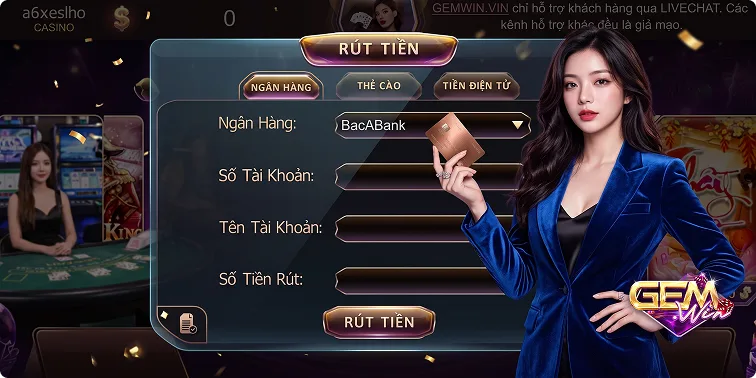
Step 1: On the payment screen, select "Bank" to begin the process.
-
Step 2: Select the bank for receiving rewards. First-time withdrawals require linking a bank account with details like account holder name, account number,...
-
Step 3: Enter the amount, double-check, click "Withdraw". Money arrives quickly.
Receive rewards via prepaid card
This suits those who want to top up their phone or avoid revealing bank details. Steps below:
-
Step 1: On the payment screen, select "Prepaid Card".
-
Step 2: Choose 1 of 4 carriers: Viettel, Vinaphone, Mobifone, Vietnamobile. Select card denomination (50K - 500K).
-
Step 3: Click "Exchange Card", the system shows the card code and serial number in minutes.
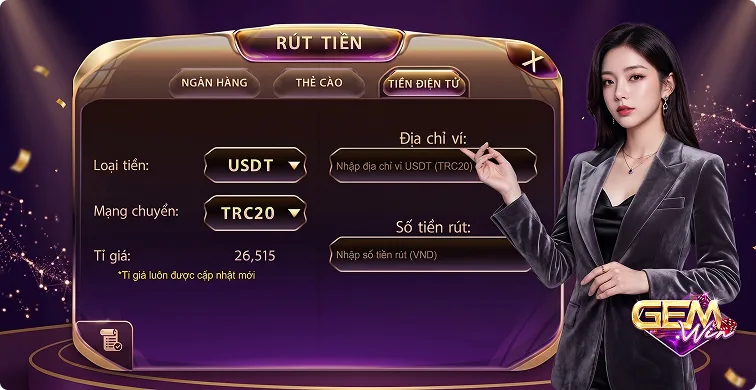
Cryptocurrency payment
Crypto withdrawals suit digital currency users. High security for every transaction.
-
Step 1: Select "Crypto". The portal supports USDT/TRC20 at 1 USDT = 26,521 VND.
-
Step 2: Enter the exact wallet address, then the withdrawal amount.
-
Step 3: Review and confirm info. When sure, click "Withdraw" to complete.
Fastest and safest transaction channels
FAQS – TOP 3 FAQS ABOUT TRANSACTIONS
Although withdrawal steps are simplified, many beginners still face difficulties. Below are the most common member questions.
Why was my withdrawal rejected?
Check if you have completed the wagering requirements for the promotion. It could be due to incorrect bank or e-wallet info. Your account may also show signs of policy violation, resulting in withdrawal rejection.
Are there fees for withdrawals?
Bank and e-wallet transactions are free. Prepaid card conversions may incur small carrier fees.
How long until the reward hits my account?
Rewards paid within 3-10 min depending on method. Contact CS if not received after 30 min.
Member questions about platform transactions
CONCLUSION
Above is the detailed withdrawal guide. We hope this helps. Join Gemwin now for quality games!
Common access errors
Common access errors disrupting your experience. Find causes and fixes below.
COMMON ACCESS ERRORS ON GEMWIN AND HOW TO FIX THEM
Access errors can be frustrating. Despite heavy infrastructure investment, occasional issues happen. Understand and fix them to enjoy Gemwin fully.
SUMMARY OF COMMON ACCESS ERRORS ON GEMWIN
Gemwin invests in modern infrastructure, but occasional issues still occur. Understanding causes helps resolve them quickly:
Impact of connection quality and carrier
Internet connects players to the server. Unstable signal or ISP blocking causes lag or page errors:
| Error |
Detailed explanation |
How to fix |
| Access link blocked |
Telecom providers (Viettel, FPT...) scan and block betting domains per regulations |
- Use VPN or Warp 1.1.1.1 to change IP
- Play via the backup link system
- Download the app to solve blocking issues
|
| Unstable internet |
Ping exceeds 200ms, Wifi or 4G/5G connection too weak causing access interruptions |
Switch network connection, restart wifi modem to refresh bandwidth |
| Error |
Access link blocked |
Unstable internet |
Detailed
explanation |
Telecom providers (Viettel, FPT...) scan and block betting domains per regulations |
Ping exceeds 200ms, Wifi or 4G/5G connection too weak causing access interruptions |
How to
fix |
- Use VPN or Warp 1.1.1.1 to change IP
- Play via the backup link system
- Download the app to solve blocking issues
|
Switch network connection, restart wifi modem to refresh bandwidth |
Weak internet or ISP blocking is a common access error
Errors from player operations
Sometimes minor operation errors prevent access to Gemwin:
| Error |
Detailed explanation |
How to fix |
| Incorrect information |
Wrong case, extra spaces, or missing special characters cause login failure |
Use the "Show Password" feature to avoid errors |
| Entering wrong Captcha multiple times |
Hard-to-read verification code causes anti-bot temporary lock |
Refresh Captcha, enter slowly and correctly to avoid 5 consecutive failures |
| Error |
Incorrect information |
Entering wrong Captcha multiple times |
Detailed
explanation |
Wrong case, extra spaces, or missing special characters cause login failure |
Hard-to-read verification code causes anti-bot temporary lock |
How to
fix |
Use the "Show Password" feature to avoid errors |
Refresh Captcha, enter slowly and correctly to avoid 5 consecutive failures |
Common security and account-related access errors
Security is always the top priority for the portal to ensure member safety. The system uses modern technology with automatic locking mechanisms when risks are detected:
| Error |
Detailed explanation |
How to fix |
| Account temporarily locked |
System detects multiple failed logins, fraud behavior, or abnormal IP matches |
Contact CS via live chat, verify info to get unlocked quickly |
| OTP verification failed |
Security code delivery slow or wrong OTP entered |
Check phone signal, request a new code and enter within 30 seconds |
| Error |
Account temporarily locked |
OTP verification failed |
Detailed
explanation |
System detects multiple failed logins, fraud behavior, or abnormal IP matches |
Security code delivery slow or wrong OTP entered |
How to
fix |
Contact CS via live chat, verify info to get unlocked quickly |
Check phone signal, request a new code and enter within 30 seconds |
Common access errors from security and account issues
Access issues due to operator-side errors
Gemwin may temporarily suspend for technical work. Notifications will help players stay informed:
| Error |
Detailed explanation |
How to fix |
| System maintenance |
The platform periodically upgrades features and fixes security bugs to improve quality. |
Check homepage announcements, wait 10-30 min for maintenance to finish |
| Server overload |
Concurrent traffic exceeds server capacity, usually during peak hours |
Exit and wait 5-10 min, prioritize mobile app to reduce web load |
| Error |
System maintenance |
Server overload |
Detailed
explanation |
The platform periodically upgrades features and fixes security bugs to improve quality. |
Concurrent traffic exceeds server capacity, usually during peak hours |
How to
fix |
Check homepage announcements, wait 10-30 min for maintenance to finish |
Exit and wait 5-10 min, prioritize mobile app to reduce web load |
FAQS – ANSWERS TO COMMON ACCESS ERROR QUESTIONS
Understanding the rules ensures stable, efficient play. Check the answers below for easier access:
Will public internet cause login issues?
Yes. Public networks are slow, unstable, and pose security risks. The system may block or require authentication. Use private connections like home Wifi or 4G/5G.
Why is the game screen black?
Black screen = insufficient resources for 3D. Caused by old cache, outdated app, or overheating. Fix: clear cache, update browser/app, or restart.
Questions about black screen issues
Can I log in on multiple devices at once?
Only 1 active login session at a time. New device access auto-logs out the old session. Avoid overlapping logins.
CLOSING REMARKS
Mastering access errors helps you control your game. With modern technology, Gemwin delivers the perfect experience. Comply with terms for a long-term journey.

 English